
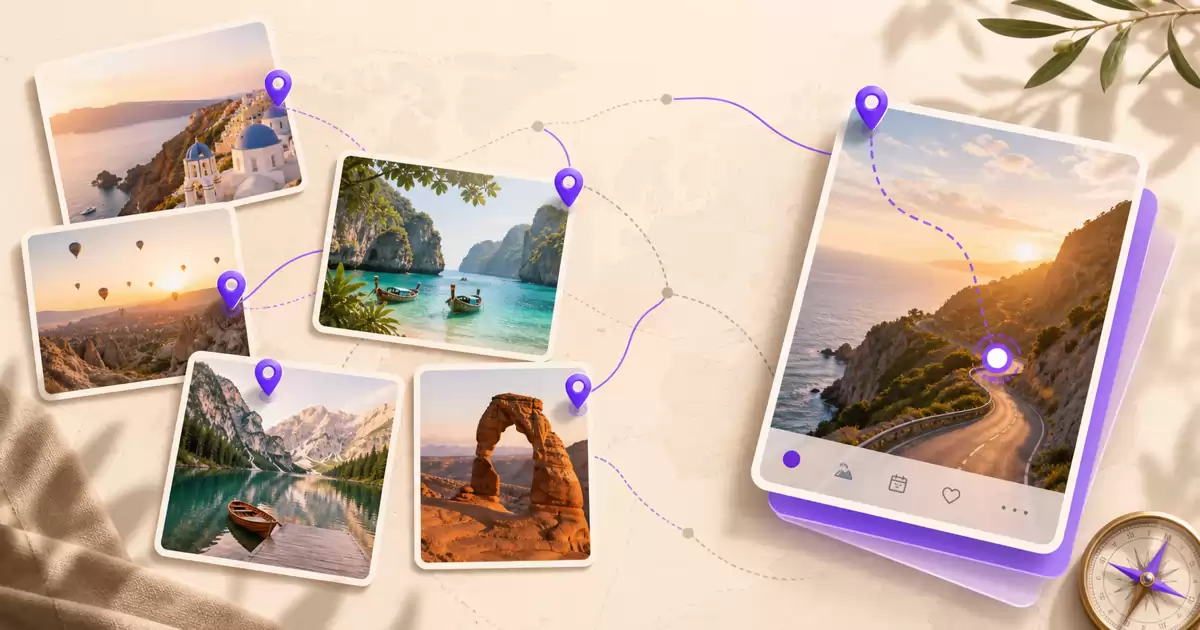
The best planning dataset you own is your own travel history. Your past trips already know your real pace, the taste you act on rather than the one you claim, the places you lingered in, and the plans you quietly abandoned by day three — and for most people that entire body of evidence sits unread in a camera roll. This guide is a practical workflow for planning your next trip from past travel history: make the history visible, mine each trip for signals, and turn those signals into a plan built on your own evidence instead of someone else's list.
Why generic recommendations fall short
Top-10 lists and generic itineraries have to optimize for everyone, which means they optimize for no one in particular. They cannot know that you always skip the second museum, that a fourteen-hour walking day ruins your next morning, or that you have now chosen a small coastal town over a capital city twice in a row. Your travel history knows all of this. It is not opinion; it is a record of what you actually did — which cities you lingered in, what pace exhausted you, what you returned to twice. Treating that record as evidence is the whole trick, and it takes three steps.
Step 1: make your history visible
You cannot mine a dataset you cannot see, so the first step is to get your past trips out of an endless scroll and onto a map. A world map of visited places changes how you read your own history: country and city statistics turn a vague sense of being well traveled into concrete counts, and the shape of the lit-up map exposes patterns a photo grid never will.
In Wimemo this step is close to free. The app detects trips automatically from the photos already on your iPhone — nothing needed to have been tracked while you traveled — and its Atlas world map lights up every place those trips touched, with country and city statistics alongside. A journey from years before you installed any travel app still shows up, because the evidence was in your photo library all along.
Two patterns tend to appear immediately. The first is clustering: most travelers discover they return to the same two or three regions far more often than they remembered. The second is gaps: a country you assumed you had covered turns out to be one airport layover or a single rushed weekend. Both are planning signals before you have reread a single note.
Step 2: mine each trip for signals
With the map as your index, open individual trips and reread them the way you would read a report about a stranger: what did this person actually enjoy? In Wimemo each trip is one unit that groups photos, videos, notes, places, people, expenses, and plans, so the evidence for a journey is already in one place instead of scattered across apps. Look for signals like these:
- Places you would repeat: the spots that appear in your photos again and again across days, not the ones you photographed once out of duty
- Your real pace: how many places per day you actually covered, and which afternoons show a suspicious photo gap because you were exhausted
- Budget reality versus plan: what the expense record says the trip cost per day, compared with what you told yourself it would
- The day trip that was too rushed: the excursion where photos start at dawn and end on a train, remembered mostly as logistics
- The neighborhood you never left: the district where three days of photos happened within four streets — a taste signal, not a failure
Write these down as short notes on the trip itself. A signal you extract and record once is a signal you never have to rediscover.
Step 3: turn signals into the next plan
The common failure mode is extracting good signals and then planning somewhere else, so the insights and the itinerary drift apart within a draft or two. Keeping the plan next to the memories fixes this. In Wimemo, a trip unit holds plans alongside the photos, notes, places, and expenses of trips that already happened, so the next itinerary starts inside the same system as your evidence: the daily budget you write down can come from your own expense records, and the pace you commit to can come from what your photo timeline says you actually sustain.
Wimemo also offers AI-assisted planning, and the honest way to describe it is assistance, not magic. Because the assistant works inside the app that holds your own trips, its suggestions are grounded in your history — your places, your pace, your notes — rather than in generic recommendations. It drafts; you edit and decide. The value is that the starting draft already resembles the traveler you are.
A worked example
Here is an illustrative example — a composite, not any real user's data. Suppose your last three trips, once mapped and reread, show three things. First, your photo timelines say you average about two neighborhoods a day, and on the one day you attempted four, the photos stop at three in the afternoon. Second, every plan listed three or four museums, and every trip record shows you actually entered one. Third, two of the three trips ended with an unplanned extra day in a small coastal town, both times described in your notes as the best part.
The next plan almost writes itself: one museum, chosen carefully, instead of four penciled in; two neighborhoods a day as a hard ceiling; and coast days promoted from accident to intention. None of that would appear in a generic itinerary for the same destination, because none of it is about the destination. It is about you.
Keep the loop going
Planning from history is not a one-time trick; it is a loop: plan, travel, remember, plan better. Each trip you capture makes the next plan smarter. The only maintenance the loop needs is capture, and if your trips are reconstructed automatically from your photos, capture is mostly just living the trip and taking pictures the way you already do. Add a few notes while memories are fresh, and next season's planning session inherits them. Through all of it, your photos and notes stay on your device by default — the loop runs on your phone, not on a feed.
Your travel history is the one planning resource that grows more valuable every time you use it. The workflow above was verified against the current Wimemo iPhone app on 2026-07-10; as with everything we publish, claims are dated, and when the product changes we correct the article — our About page documents the publishing principles this site follows.
Frequently asked questions.
Can an app really plan a trip from my past trips?
It can surface your own evidence — the places you returned to, the pace you actually sustained, what you really spent — and that beats a generic list because it is about you specifically. You still make the decisions; the history just makes them better informed.
Do I need to have tracked my trips for this to work?
No. Wimemo reconstructs past trips automatically from the photos already on your iPhone, so journeys from years before you installed any travel app still become organized, mappable evidence.
Does my travel history leave my phone?
No. Photos and videos stay on your device by default. The only exception is a shared trip, where the specific media you explicitly choose to share is uploaded and nothing else.
Is Wimemo free?
Wimemo is free for up to 40 trips. Outside Mainland China, a premium tier unlocks more, and upgrade prompts never block you from entering the Atlas or viewing trips you already created.
Related reading: The best travel planner is your own history · Your past trips know what you'll love next · An AI-native travel app built from your past trips · See your travel history on a world map
你拥有的最好的规划数据集,就是你自己的旅行足迹。你过去的旅行早已知道你真实的节奏、你实际付诸行动而非嘴上宣称的口味、你流连忘返的地方,以及那些到第三天就被你悄悄放弃的计划——而对大多数人来说,这整套证据正躺在相册里无人翻阅。本文是一套从过去旅行足迹出发规划下一次旅行的实用工作流:先让历史可见,再从每趟旅程中提取信号,最后把这些信号变成一份建立在你自己证据之上、而不是别人清单之上的计划。
为什么通用推荐不够好
十大榜单和通用行程必须为所有人优化,也就意味着没有为任何具体的人优化。它们不可能知道你总是跳过第二座博物馆,不知道走十四个小时会毁掉你第二天的早晨,也不知道你已经连续两次在首都城市和海边小镇之间选择了后者。你的旅行足迹全都知道。它不是观点,而是你实际做过什么的记录——你在哪些城市流连,什么节奏让你精疲力竭,什么地方你去了两次。把这份记录当作证据来对待,就是全部诀窍,分三步完成。
第一步:让你的历史可见
你无法挖掘一个看不见的数据集,所以第一步是把过去的旅行从无尽的滚动列表里拿出来,放到地图上。一张点亮到访地点的世界地图会改变你阅读自己历史的方式:国家和城市统计把「我去过不少地方」的模糊感觉变成具体的数字,而点亮地图的形状会暴露出照片网格永远呈现不了的规律。
在纬途旅记里,这一步几乎不费力。应用会自动从你 iPhone 里已有的照片中识别旅程——旅行当时不需要记录过任何东西——它的 Atlas 世界地图会点亮这些旅程触及的每一个地方,并附上国家和城市统计。哪怕是你安装任何旅行应用之前多年的旅程也会出现,因为证据一直就在你的相册里。
两种规律通常会立刻显现。第一种是聚集:大多数旅行者会发现自己反复回到同样的两三个地区,频率远超记忆。第二种是空白:你以为已经「去过」的国家,其实只是一次机场中转或一个仓促的周末。在你重读任何一条笔记之前,这两者都已经是规划信号。
第二步:从每趟旅程中挖掘信号
以地图为索引,打开一趟趟具体的旅程,像读一份关于陌生人的报告那样重读它们:这个人真正喜欢的是什么?在纬途旅记里,每趟旅行是一个把照片、视频、笔记、地点、人物、开销和计划归为一体的旅程单元,一段旅程的证据本来就集中在一处,而不是散落在各个应用里。可以寻找这样的信号:
- 你愿意重游的地方:连续几天反复出现在照片里的那些地点,而不是出于「到此一游」拍过一次的那些
- 你的真实节奏:你每天实际走过多少个地方,以及哪些下午的照片出现了可疑的空白——因为你已经累垮了
- 预算的现实与计划的差距:开销记录显示这趟旅行每天实际花了多少,对比你当初告诉自己的数字
- 那次过于仓促的一日游:照片从黎明开始、在火车上结束的那次远足,回忆里几乎只剩下赶路
- 你从未离开的那个街区:三天的照片都发生在四条街之内的那个区域——这是口味信号,不是失败
把这些以简短笔记的形式写在旅程本身上。一个提取并记录过一次的信号,就再也不需要重新发现。
第三步:把信号变成下一份计划
常见的失败方式是:提取了好信号,却在别处做计划,改上一两稿,洞察和行程就已彼此脱节。把计划放在记忆旁边就能解决这个问题。在纬途旅记里,旅程单元把计划与已经发生的旅行的照片、笔记、地点和开销放在一起,下一份行程就在与你的证据相同的系统里开始:你写下的每日预算可以来自你自己的开销记录,你承诺的节奏可以来自照片时间线显示你真正能维持的水平。
纬途旅记也提供 AI 辅助规划,对它诚实的描述是辅助,而不是魔法。因为这个助手工作在存放你自己旅程的应用之内,它的建议扎根于你的历史——你的地点、你的节奏、你的笔记——而不是通用推荐。它起草,你编辑并决定。它的价值在于:初稿从一开始就更像你这个旅行者。
一个演算示例
这里是一个说明性的例子——一个虚构的合成案例,不是任何真实用户的数据。假设你最近的三趟旅行,放上地图并重读之后显示出三件事。第一,照片时间线表明你平均每天走两个街区;唯一一次尝试走四个的那天,照片在下午三点就停止了。第二,每份计划都列了三四座博物馆,而每趟旅程的记录显示你实际只进了一座。第三,三趟旅行里有两趟以在海边小镇临时多待一天收尾,两次都在笔记里被你写成整趟旅行最好的部分。
下一份计划几乎自己写好了:认真挑选一座博物馆,而不是随手列四座;每天最多两个街区,作为硬性上限;海边的日子从意外升级为刻意安排。这些内容不会出现在同一目的地的任何通用行程里,因为它们全都与目的地无关。它们只与你有关。
让循环持续下去
从历史出发做规划不是一次性的技巧,而是一个循环:计划、旅行、记住、计划得更好。你每记下一趟旅行,下一份计划就更聪明一分。这个循环唯一需要的维护是捕捉,而如果你的旅程是从照片中自动重建的,捕捉基本上就是照常生活、照常拍照。趁记忆新鲜时补几条笔记,下个旅行季的规划就会继承它们。在这一切过程中,你的照片和笔记默认留在你的设备上——这个循环运行在你的手机里,而不是某条信息流上。
你的旅行足迹是唯一一种越用越有价值的规划资源。上述工作流已于 2026-07-10 对照当前版本的纬途旅记 iPhone 应用验证;与我们发布的所有内容一样,每个论断都标注日期,产品变化时我们会更正文章——本站关于页记录了我们遵循的发布原则。
常见问题。
一个应用真的能根据我过去的旅行做规划吗?
它能把你自己的证据呈现出来——你重游过的地方、你实际维持的节奏、你真实的花费——这胜过通用榜单,因为它只关于你本人。决定仍然由你来做;历史只是让决定更有依据。
我需要以前记录过旅行才能用这套方法吗?
不需要。纬途旅记会自动从你 iPhone 里已有的照片重建过去的旅程,所以哪怕是你安装任何旅行应用之前多年的旅行,也能变成整理好的、可放上地图的证据。
我的旅行足迹会离开我的手机吗?
不会。照片和视频默认留在你的设备上。唯一的例外是共享旅程:只有你明确选择分享的那些媒体会被上传,其余一概不会。
纬途旅记免费吗?
纬途旅记在 40 趟旅程以内免费。在中国大陆以外,高级版可以解锁更多,而且升级提示永远不会阻止你进入 Atlas 或查看已创建的旅程。
相关阅读: 最好的旅行规划师是你自己的旅行历史 · 你的过去旅行知道你接下来会爱上什么 · 从你的过去旅行出发的 AI 原生旅行应用 · 在世界地图上看你的旅行足迹
あなたが持っている最高の計画用データセットは、あなた自身の旅の履歴です。過去の旅は、あなたの本当のペースも、口で言う好みではなく実際に行動に表れる好みも、長居した場所も、三日目には静かに放棄された計画も、すべて知っています。そして多くの人にとって、その証拠の全体は読まれないままカメラロールに眠っています。この記事は、過去の旅の履歴から次の旅行を計画するための実践的なワークフローです。まず履歴を見えるようにし、次に各旅行からシグナルを取り出し、最後にそのシグナルを、誰かのリストではなく自分自身の証拠の上に築かれた計画に変えます。
なぜ一般的なおすすめでは足りないのか
トップ 10 リストや汎用の旅程は、すべての人に向けて最適化しなければならず、それはつまり、特定の誰かには最適化されていないということです。あなたが二つ目の美術館をいつも飛ばすことも、十四時間歩いた日の翌朝が台無しになることも、首都よりも小さな海辺の町をすでに二回続けて選んだことも、リストは知りようがありません。あなたの旅の履歴はそのすべてを知っています。それは意見ではなく、あなたが実際に何をしたかの記録です。どの街に長居したか、どんなペースで疲れ果てたか、どこへ二度戻ったか。その記録を証拠として扱うこと、それがコツのすべてで、三つのステップで行います。
ステップ 1:履歴を見えるようにする
見えないデータセットを掘ることはできません。だから最初のステップは、過去の旅を果てしないスクロールから取り出して、地図の上に置くことです。訪問地が並ぶ世界地図は、自分の履歴の読み方を変えます。国と都市の統計は「けっこう旅してきた」という漠然とした感覚を具体的な数に変え、点灯した地図の形は、写真のグリッドでは決して見えないパターンをあらわにします。
Wimemo なら、このステップにほとんど手間はかかりません。アプリは iPhone にすでにある写真から旅行を自動検出します。旅の最中に何かを記録しておく必要はありません。そして Atlas 世界地図が、それらの旅が触れたすべての場所を点灯させ、国と都市の統計を添えます。旅行アプリを入れる何年も前の旅も現れます。証拠は最初からあなたの写真ライブラリの中にあったからです。
すぐに現れやすいパターンが二つあります。一つはクラスタリングです。多くの旅行者は、自分が同じ二、三の地域に、記憶よりはるかに頻繁に戻っていることを発見します。もう一つは空白です。行ったつもりでいた国が、実は空港での乗り継ぎ一回や慌ただしい週末一回だったと判明します。メモを一つも読み返す前から、どちらも計画のシグナルです。
ステップ 2:各旅行からシグナルを掘り出す
地図を索引にして、個々の旅を開き、見知らぬ人についてのレポートを読むように読み返してください。この人が本当に楽しんだものは何か? Wimemo では、各旅行は写真・動画・メモ・場所・人・出費・計画をひとまとめにする一つの単位なので、一つの旅の証拠は複数のアプリに散らばらず、最初から一か所に揃っています。たとえばこんなシグナルを探します。
- もう一度行きたい場所:義理で一度だけ撮った場所ではなく、何日にもわたって写真に繰り返し現れる場所
- 本当のペース:一日に実際にいくつの場所を回ったか、そしてどの午後に、疲れ果てたせいで写真の不自然な空白があるか
- 予算の現実と計画の差:出費の記録が示す一日あたりの実際の金額と、自分に言い聞かせていた金額の比較
- 慌ただしすぎた日帰り旅行:写真が夜明けに始まり列車の中で終わり、記憶にはほぼ移動しか残っていない遠出
- 一歩も出なかった界隈:三日分の写真が四本の通りの中で完結している地区。これは失敗ではなく、好みのシグナルです
これらを短いメモとして、その旅行自体に書き込んでください。一度取り出して記録したシグナルは、二度と発見し直す必要がありません。
ステップ 3:シグナルを次の計画に変える
よくある失敗は、良いシグナルを取り出したのに、別の場所で計画してしまうことです。一、二稿も直せば、洞察と旅程はもう乖離しています。計画を記憶のすぐ隣に置けば、これは解決します。Wimemo では、旅の単位が、すでに終わった旅の写真・メモ・場所・出費と並べて計画を保持するので、次の旅程はあなたの証拠と同じシステムの中で始まります。書き込む一日あたりの予算は自分の出費記録から取れますし、約束するペースは、写真のタイムラインが示す、あなたが実際に維持できる水準から取れます。
Wimemo には AI によるプランニング支援もあります。正直な言い方をすれば、それは支援であって魔法ではありません。アシスタントはあなた自身の旅を保管しているアプリの中で働くので、その提案は一般的なおすすめではなく、あなたの履歴——あなたの場所、あなたのペース、あなたのメモ——に根ざしています。下書きをするのはアシスタント、編集して決めるのはあなたです。価値は、最初の下書きがはじめから、あなたという旅行者に似ていることにあります。
具体例で見る
説明のための例を一つ。これは架空の合成例であり、実在するユーザーのデータではありません。直近三回の旅を地図に載せて読み返した結果、三つのことが分かったとします。第一に、写真のタイムラインによれば、あなたは一日平均およそ二つの街区を回っていて、四つに挑んだ唯一の日は午後三時で写真が止まっています。第二に、どの計画にも美術館が三、四館載っていたのに、どの旅の記録でも実際に入ったのは一館です。第三に、三回のうち二回の旅が、予定になかった海辺の小さな町での延泊で終わっていて、二回ともメモには旅で一番良かった部分だと書かれています。
次の計画はほとんどひとりでに書き上がります。四館を書き並べる代わりに、慎重に選んだ一館。一日二街区を絶対の上限に。そして海辺の日々を、偶然から意図へ格上げする。同じ目的地の汎用旅程には、このどれも登場しません。どれも目的地の話ではないからです。すべて、あなたの話です。
ループを回し続ける
履歴から計画することは一度きりのテクニックではなく、ループです。計画し、旅し、記憶し、もっと上手に計画する。旅を一つ記録するたびに、次の計画は賢くなります。このループに必要な唯一のメンテナンスは記録することですが、旅が写真から自動で再構築されるなら、記録とはほぼ、いつもどおり旅をして、いつもどおり写真を撮ることです。記憶が新しいうちにメモを少し足しておけば、次のシーズンの計画セッションがそれを受け継ぎます。その間ずっと、写真とメモはデフォルトで端末内に残ります。このループはフィードの上ではなく、あなたの電話の中で回ります。
旅の履歴は、使うたびに価値が増える唯一の計画リソースです。上記のワークフローは 2026-07-10 に現行の Wimemo iPhone アプリに対して検証しました。私たちが公開するすべての内容と同じく、主張には日付を付け、プロダクトが変わったときには記事を訂正します。当サイトの About ページに、私たちが従う公開原則を記しています。
よくある質問。
アプリが本当に過去の旅から旅行を計画できるのですか?
アプリにできるのは、あなた自身の証拠——戻った場所、実際に維持できたペース、本当に使った金額——を浮かび上がらせることです。それはあなた個人についての情報なので、一般的なリストに勝ります。決めるのはあくまであなたで、履歴はその判断の根拠を良くするだけです。
この方法を使うには、旅行を記録しておく必要がありますか?
いいえ。Wimemo は iPhone にすでにある写真から過去の旅行を自動で再構築するので、旅行アプリを入れる何年も前の旅も、整理されて地図に載せられる証拠になります。
私の旅の履歴は電話の外に出ますか?
いいえ。写真と動画はデフォルトで端末内に残ります。唯一の例外は共有された旅で、共有すると自分で明示的に選んだメディアだけがアップロードされ、それ以外は一切アップロードされません。
Wimemo は無料ですか?
Wimemo は旅行 40 件まで無料です。中国本土以外ではプレミアムで追加解放でき、アップグレードの案内が Atlas への入場や作成済みの旅の閲覧を妨げることは決してありません。
関連記事: 最高の旅行プランナーはあなた自身の旅の履歴 · 過去の旅は、次にあなたが好きになるものを知っている · 過去の旅から生まれる AI ネイティブ旅行アプリ · 世界地図で旅の履歴を見る
당신이 가진 최고의 계획용 데이터셋은 당신 자신의 여행 기록입니다. 지난 여행들은 당신의 진짜 페이스, 말로 하는 취향이 아니라 실제 행동으로 드러나는 취향, 오래 머문 장소, 그리고 사흘째에 조용히 포기해 버린 계획까지 이미 알고 있습니다. 그런데 대부분의 사람에게 그 증거 전체는 읽히지 않은 채 카메라롤에 잠들어 있습니다. 이 글은 지난 여행 기록으로 다음 여행을 계획하는 실용적인 워크플로입니다. 먼저 기록을 보이게 만들고, 각 여행에서 신호를 캐내고, 그 신호를 다른 사람의 리스트가 아니라 당신 자신의 증거 위에 세운 계획으로 바꿉니다.
왜 일반적인 추천으로는 부족한가
톱 10 리스트와 범용 일정표는 모든 사람을 위해 최적화되어야 하고, 그것은 곧 특정한 누구를 위해서도 최적화되지 않았다는 뜻입니다. 당신이 두 번째 박물관을 늘 건너뛴다는 것도, 열네 시간을 걸은 날이면 다음 날 아침이 망가진다는 것도, 이미 두 번 연속으로 수도 대신 작은 해안 마을을 골랐다는 것도 리스트는 알 수 없습니다. 당신의 여행 기록은 이 모든 것을 압니다. 그것은 의견이 아니라 당신이 실제로 무엇을 했는지에 대한 기록입니다. 어느 도시에 오래 머물렀는지, 어떤 페이스에 지쳐 버렸는지, 어디를 두 번 다시 찾았는지. 그 기록을 증거로 다루는 것이 요령의 전부이며, 세 단계로 진행합니다.
1단계: 기록을 보이게 만들기
보이지 않는 데이터셋은 캘 수 없습니다. 그래서 첫 단계는 지난 여행들을 끝없는 스크롤에서 꺼내 지도 위에 올리는 것입니다. 방문지가 표시된 세계 지도는 자신의 기록을 읽는 방식을 바꿉니다. 국가와 도시 통계는 "꽤 여행 다녔지"라는 막연한 감각을 구체적인 숫자로 바꾸고, 불이 켜진 지도의 모양은 사진 그리드로는 결코 드러나지 않는 패턴을 노출합니다.
Wimemo에서 이 단계는 거의 공짜에 가깝습니다. 앱이 iPhone에 이미 있는 사진에서 여행을 자동으로 감지하므로 여행 당시에 무언가를 기록해 둘 필요가 없고, Atlas 세계 지도가 그 여행들이 닿은 모든 곳을 켜면서 국가와 도시 통계를 함께 보여 줍니다. 여행 앱을 설치하기 몇 년 전의 여정도 나타납니다. 증거는 처음부터 당신의 사진 보관함 안에 있었기 때문입니다.
곧바로 드러나는 패턴이 보통 두 가지 있습니다. 첫째는 군집입니다. 많은 여행자가 자신이 같은 두세 지역으로 기억보다 훨씬 자주 되돌아갔다는 사실을 발견합니다. 둘째는 공백입니다. 이미 가 봤다고 여겼던 나라가 사실은 공항 경유 한 번이거나 서두른 주말 한 번이었다는 것이 밝혀집니다. 노트를 한 줄도 다시 읽기 전부터, 둘 다 이미 계획의 신호입니다.
2단계: 각 여행에서 신호 캐내기
지도를 색인 삼아 개별 여행을 열고, 낯선 사람에 대한 보고서를 읽듯 다시 읽어 보세요. 이 사람이 정말로 즐긴 것은 무엇이었나? Wimemo에서 각 여행은 사진, 영상, 노트, 장소, 사람, 지출, 계획을 하나로 묶는 여행 단위이므로, 한 여정의 증거는 여러 앱에 흩어지지 않고 처음부터 한곳에 모여 있습니다. 예를 들어 이런 신호를 찾아보세요.
- 다시 가고 싶은 장소: 의무감에 한 번 찍은 곳이 아니라, 여러 날에 걸쳐 사진에 반복해서 등장하는 곳
- 진짜 페이스: 하루에 실제로 몇 군데를 다녔는지, 그리고 지쳐 버린 탓에 사진이 수상하게 비어 있는 오후가 언제였는지
- 예산의 현실과 계획의 차이: 지출 기록이 말하는 하루 실제 비용과, 스스로에게 말했던 금액의 비교
- 너무 빠듯했던 당일치기: 사진이 새벽에 시작해 기차 안에서 끝나고, 기억에는 거의 이동만 남은 그 나들이
- 한 번도 벗어나지 않은 동네: 사흘치 사진이 네 개의 거리 안에서 끝난 그 구역 — 실패가 아니라 취향 신호입니다
이것들을 짧은 노트로 그 여행 자체에 적어 두세요. 한 번 추출해서 기록한 신호는 다시 발견할 필요가 없습니다.
3단계: 신호를 다음 계획으로 바꾸기
흔한 실패 방식은 좋은 신호를 뽑아 놓고 계획은 다른 곳에서 세우는 것입니다. 초안을 한두 번만 고쳐도 통찰과 일정표는 이미 따로 놉니다. 계획을 기억 바로 옆에 두면 이 문제가 해결됩니다. Wimemo에서는 여행 단위가 이미 끝난 여행의 사진, 노트, 장소, 지출과 나란히 계획을 담기 때문에, 다음 일정은 당신의 증거와 같은 시스템 안에서 시작됩니다. 적어 넣는 하루 예산은 자신의 지출 기록에서 가져올 수 있고, 약속하는 페이스는 사진 타임라인이 보여 주는, 당신이 실제로 유지할 수 있는 수준에서 가져올 수 있습니다.
Wimemo에는 AI 보조 플래닝도 있습니다. 정직하게 표현하면 그것은 보조이지 마법이 아닙니다. 이 어시스턴트는 당신 자신의 여행을 담고 있는 앱 안에서 일하기 때문에, 그 제안은 범용 추천이 아니라 당신의 기록 — 당신의 장소, 당신의 페이스, 당신의 노트 — 에 뿌리를 둡니다. 초안은 어시스턴트가 쓰고, 편집하고 결정하는 것은 당신입니다. 가치는 첫 초안이 처음부터 당신이라는 여행자를 닮아 있다는 데 있습니다.
구체적인 예시
설명을 위한 예를 하나 들겠습니다. 실제 사용자의 데이터가 아닌 가상의 합성 사례입니다. 최근 세 번의 여행을 지도에 올리고 다시 읽었더니 세 가지가 드러났다고 합시다. 첫째, 사진 타임라인에 따르면 당신은 하루 평균 두 개 동네를 다니고, 네 개를 시도한 유일한 날에는 사진이 오후 세 시에 멈춥니다. 둘째, 모든 계획에 박물관이 서너 곳 적혀 있었지만, 모든 여행 기록에서 실제로 들어간 곳은 한 곳입니다. 셋째, 세 번 중 두 번의 여행이 예정에 없던 작은 해안 마을에서의 하루 연장으로 끝났고, 두 번 모두 노트에 여행에서 가장 좋았던 부분이라고 적혀 있습니다.
다음 계획은 거의 저절로 쓰입니다. 네 곳을 대충 적는 대신 신중하게 고른 박물관 한 곳. 하루 두 동네를 절대 상한선으로. 그리고 해안에서의 날들을 우연에서 의도로 승격. 같은 목적지의 어떤 범용 일정표에도 이 중 아무것도 등장하지 않습니다. 어느 것도 목적지에 관한 이야기가 아니기 때문입니다. 전부 당신에 관한 이야기입니다.
루프를 계속 돌리기
기록에서 출발하는 계획은 일회성 요령이 아니라 루프입니다. 계획하고, 여행하고, 기억하고, 더 잘 계획한다. 여행을 하나 담아 둘 때마다 다음 계획은 더 똑똑해집니다. 이 루프에 필요한 유일한 유지 관리는 담아 두는 일인데, 여행이 사진에서 자동으로 재구성된다면 담아 두는 일이란 대체로 평소처럼 여행하고 평소처럼 사진을 찍는 것입니다. 기억이 생생할 때 노트를 몇 줄 보태 두면, 다음 시즌의 계획 세션이 그것을 물려받습니다. 그동안 내내 사진과 노트는 기본적으로 기기에 남습니다. 이 루프는 피드 위가 아니라 당신의 휴대폰 안에서 돕니다.
여행 기록은 쓸수록 가치가 커지는 유일한 계획 자원입니다. 위 워크플로는 2026-07-10에 현재 버전의 Wimemo iPhone 앱을 기준으로 검증했습니다. 우리가 발행하는 모든 글과 마찬가지로 주장에는 날짜를 표기하고, 제품이 바뀌면 글을 바로잡습니다. 이 사이트의 소개 페이지에 우리가 따르는 발행 원칙을 기록해 두었습니다.
자주 묻는 질문.
앱이 정말 내 지난 여행으로 여행을 계획할 수 있나요?
앱이 할 수 있는 것은 당신 자신의 증거 — 다시 찾았던 장소, 실제로 유지한 페이스, 진짜 지출 — 를 드러내는 일이며, 그것은 오롯이 당신에 관한 것이기에 범용 리스트를 이깁니다. 결정은 여전히 당신이 하고, 기록은 그 결정의 근거를 더 좋게 만들 뿐입니다.
이 방법을 쓰려면 여행을 미리 기록해 두었어야 하나요?
아니요. Wimemo는 iPhone에 이미 있는 사진에서 지난 여행을 자동으로 재구성하므로, 여행 앱을 설치하기 몇 년 전의 여정도 정리되어 지도에 올릴 수 있는 증거가 됩니다.
내 여행 기록이 휴대폰 밖으로 나가나요?
아니요. 사진과 영상은 기본적으로 기기에 남습니다. 유일한 예외는 공유 여행으로, 공유하기로 명시적으로 고른 미디어만 업로드되고 그 외에는 아무것도 올라가지 않습니다.
Wimemo는 무료인가요?
Wimemo는 여행 40개까지 무료입니다. 중국 본토 외 지역에서는 프리미엄으로 더 많이 해제할 수 있으며, 업그레이드 안내가 Atlas 진입이나 이미 만든 여행 열람을 막는 일은 결코 없습니다.
관련 글: 최고의 여행 플래너는 당신 자신의 여행 기록 · 지난 여행은 당신이 다음에 사랑할 것을 알고 있다 · 지난 여행에서 출발하는 AI 네이티브 여행 앱 · 세계 지도에서 여행 기록 보기
Try one trip today.
Wimemo helps turn selected travel photos into a private map of memories, plans, and shared trips.
Explore Wimemo今天先整理一趟旅行。
Wimemo 帮你把选中的旅行照片变成私密地图、旅记、计划和共创回忆。
了解 Wimemo今日、一つの旅から始める。
Wimemoは選んだ旅行写真を、プライベートな地図、思い出、計画、共同の旅へつなげます。
Wimemoを見る오늘 여행 하나부터 시작하세요.
Wimemo는 선택한 여행 사진을 비공개 지도, 추억, 계획, 공유 여행으로 이어 줍니다.
Wimemo 보기