
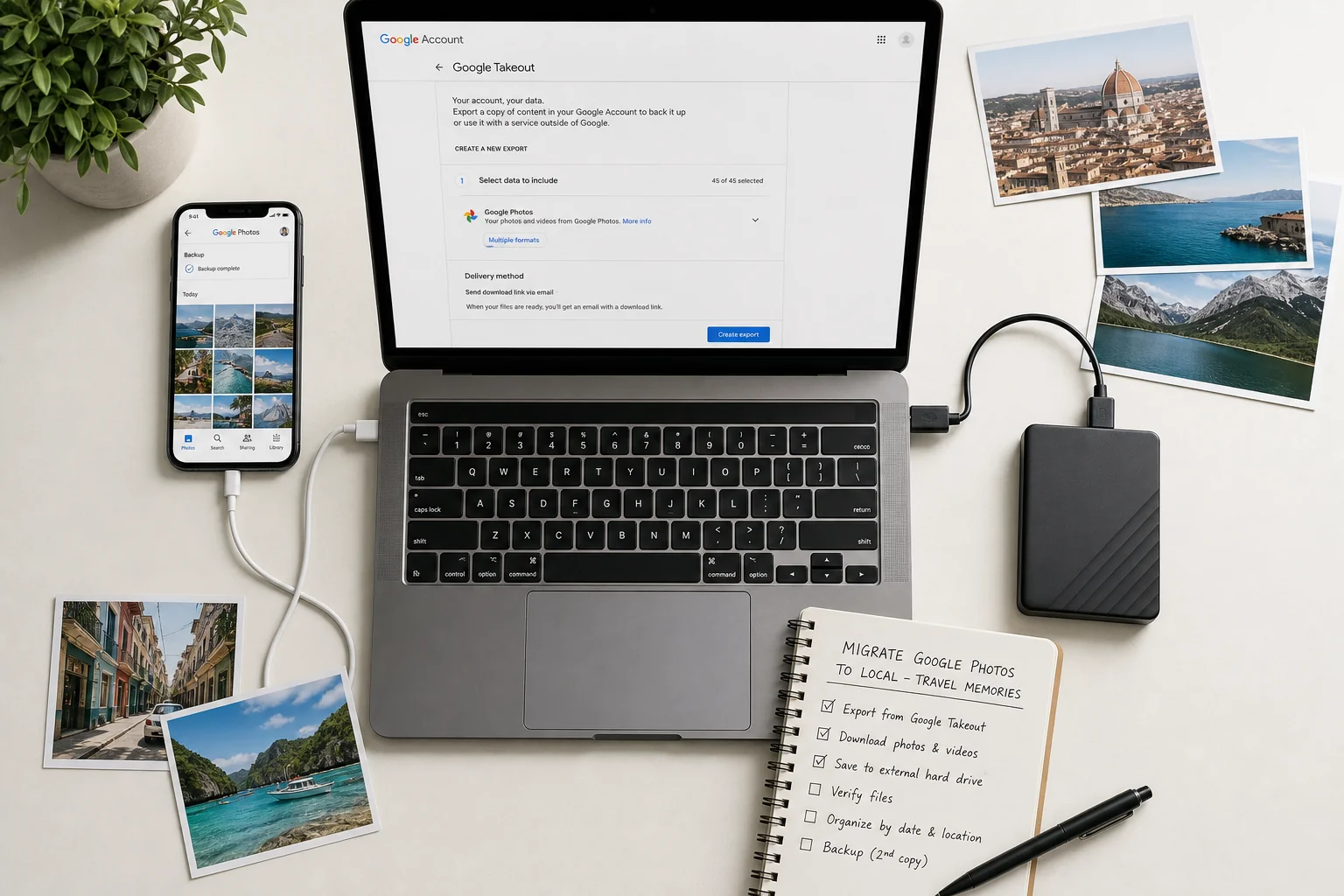
Google Photos and Wimemo are built for different jobs, so this comparison starts with the honest answer. Google Photos is a superb general-purpose cloud photo library: it backs up everything you shoot across Android, iOS, and the web, and makes your whole life searchable. Wimemo is a private, travel-specific memory app for iPhone: it turns the photos already on your phone into organized trips and a lit-up world map, without uploading anything by default. If you want cloud backup of your entire library, Google Photos remains the stronger tool. If you want a local-first travel memory system, that is the job Wimemo was built for — and many people simply use both.
What Google Photos does best
Any fair comparison has to begin here: Google Photos is excellent at what it does. As of 2026 it offers automatic cloud backup across Android, iOS, and the web, so every photo and video you take is protected as soon as you have a connection. Its AI search is arguably the best in the industry — you can search your entire library for people, places, and things, and it usually just works.
Beyond backup and search, Google Photos resurfaces Memories from past years, makes sharing effortless with links and shared albums that anyone can open, and integrates deeply with the wider Google ecosystem, from Android and Drive to smart displays and printing services. Storage is free up to your Google account quota, and a paid Google One plan extends it beyond that. For a whole-library, everything-in-the-cloud workflow, it is hard to beat.
Feature comparison at a glance
| Feature | Google Photos | Wimemo |
|---|---|---|
| Primary model | Cloud library for your whole photo life | On-device travel memory app |
| Platforms | Android, iOS, web | iPhone only; web import connector for cameras, drones, desktop, NAS |
| AI search | World-class across your entire library: people, places, things | Travel-focused; automatic trip detection from a photo scan, not whole-library search |
| Travel trip entity | Albums and automatic Memories, no structured trip unit | Trips combine photos, videos, notes, places, people, expenses, plans |
| Photo map and travel statistics | Map view of photo locations | Atlas world map lights up visited places, with country and city statistics |
| Sharing model | Link sharing and shared albums | Shared trips where each participant explicitly selects what to upload |
| Storage default and cost | Uploads to Google's cloud; free to account quota, Google One beyond | Stays on device by default; free up to 40 trips, premium unlocks more |
| Offline access | Recent items cached; full library needs a connection | Trips and the Atlas are fully on device |
What a private travel memory app does differently
Wimemo starts from the opposite premise: photos and videos stay on your device by default, and you never need to upload anything just to get organized. When you open the app it scans the photo library on your phone and automatically detects trips, so a decade of travel becomes a timeline of journeys without manual sorting.
The trip, not the individual photo, is the first-class unit. Each trip combines photos, videos, notes, places, people, expenses, and plans in one place — the things a travel memory actually consists of, rather than a date-sorted grid. The Atlas world map lights up every place you have visited and keeps country and city statistics, which is a different pleasure from searching a library: it shows you the shape of your traveling life at a glance.
Around that core sit travel-specific utilities: duplicate travel photo cleanup for the burst shots every trip produces, and a unified import path that brings camera, drone, desktop, and NAS media into the same trip through a web import page and a local connector — so a trip is complete even when half of it was shot on a real camera.
Honesty requires stating where Wimemo loses this comparison. It is iPhone-only: there is no Android or web app, only the web import connector. It deliberately does not back up your full library to a cloud, so it is not a safety net the way Google Photos is. Its intelligence is travel-focused rather than a general-purpose search across everything you have ever photographed. And it is a newer product with a 40-trip free cap, while Google Photos has more than a decade of polish behind it.
Privacy and upload boundary
The deepest difference between the two is not a feature but a default. Google Photos' model requires uploading your library to Google's cloud — that is exactly what makes backup, cross-device access, and whole-library search possible. It is a legitimate trade, and millions of people make it knowingly and happily.
Wimemo's default is the opposite: nothing leaves your device unless you explicitly share selected media into a collaborative trip. When you do collaborate, each participant chooses exactly which photos and videos to upload, and the rest of everyone's camera roll stays private. Neither default is morally superior — they serve different priorities. The useful question is simply which boundary you want as your starting point.
Switching or coexisting
The most common setup is not a switch at all. Google Photos keeps backing up your iPhone library to the cloud, while Wimemo reads the same library on the device and organizes the travel part of it into trips and the Atlas. The two never conflict, because Wimemo does not need to move or upload your photos to do its work.
If you are deliberately reducing your dependence on cloud photo services, a gradual path works better than a hard cut: let Wimemo build trips from the library already on your phone, confirm that the travel memories you care about are organized and viewable offline, and only then decide what to do with your cloud copies. Our migration guide walks through that process step by step, including how to bring media back from Google Photos onto your device first.
Frequently asked questions
Is Wimemo an alternative to Google Photos?
For travel memories, yes; for full cloud backup, no. Wimemo organizes trips, places, and a visited-world Atlas from the photos on your iPhone, but it does not back up your whole library to a cloud — that is a deliberate design choice, not a missing feature. If you need everything backed up, keep a backup service alongside it.
Does Wimemo work offline?
Yes. Trips and the Atlas world map are stored on your device, so you can browse your travel history on a plane or anywhere without a connection. Only the optional collaboration features need the network.
Is Wimemo free?
Wimemo is free for up to 40 trips, with a premium tier available outside Mainland China that unlocks more. Upgrade prompts never block you from entering the Atlas or viewing trips you have already created.
Where do photos go when I share a trip?
Only the media you explicitly select is uploaded for collaboration. Inviting someone to a shared trip never exposes your camera roll; each participant picks exactly which photos and videos to contribute.
This comparison is dated 2026-07-10 and reflects both products as officially documented on that date. If anything here becomes outdated or turns out to be wrong, we correct it under the publishing principles described on our About page.
Related reading: What a privacy-first travel photo app keeps on your iPhone · How to migrate Google Photos to local travel memories · Why offline travel photos matter · Apple Photos vs Wimemo for travel photos
Google 相册和纬途旅记解决的是不同的问题,所以这篇对比先把诚实的结论放在最前面。Google 相册是一款出色的通用云端照片库:它在 Android、iOS 和网页端自动备份你拍下的一切,并让整个照片库可以搜索。纬途旅记则是一款为 iPhone 打造的私密旅行记忆应用:它把手机里已有的照片整理成一段段旅程和一张被点亮的世界地图,默认不上传任何内容。如果你想要的是整库云端备份,Google 相册依然是更强的工具;如果你想要的是设备端优先的旅行记忆系统,那正是纬途旅记的本职工作——很多人其实两者同时使用。
Google 相册最擅长什么
任何公平的对比都必须从这里开始:Google 相册在它的领域非常优秀。截至 2026 年,它在 Android、iOS 和网页端提供自动云端备份,只要联网,你拍的每张照片和每段视频都会得到保护。它的 AI 搜索堪称行业最佳——你可以在整个照片库里搜索人物、地点和事物,而且通常一搜即中。
除了备份和搜索,Google 相册还会以「回忆」的形式重现往年的照片,通过链接和任何人都能打开的共享相册让分享毫不费力,并深度融入整个 Google 生态,从 Android、云端硬盘到智能屏幕和照片打印服务。账号配额内的存储免费,超出后可付费购买 Google One 扩容。对于「整库上云」的照片工作流,它很难被超越。
功能对比一览
| 对比项 | Google 相册 | 纬途旅记 |
|---|---|---|
| 核心模式 | 覆盖全部照片生活的云端照片库 | 设备端优先的旅行记忆应用 |
| 平台 | Android、iOS、网页 | 仅 iPhone;相机、无人机、电脑、NAS 通过网页导入连接器 |
| AI 搜索 | 全库顶级搜索:人物、地点、事物 | 聚焦旅行:扫描照片自动识别旅程,不做全库通用搜索 |
| 旅程实体 | 相册与自动回忆,没有结构化的旅程单位 | 旅程整合照片、视频、笔记、地点、人物、开销、计划 |
| 照片地图与旅行统计 | 按位置浏览照片的地图视图 | Atlas 世界地图点亮去过的地方,附国家与城市统计 |
| 分享模式 | 链接分享与共享相册 | 共享旅程:每位参与者自己明确选择要上传的内容 |
| 存储默认与费用 | 默认上传至 Google 云端;配额内免费,超出需 Google One | 默认留在设备上;40 段旅程内免费,高级版解锁更多 |
| 离线访问 | 近期内容有缓存,完整库需要联网 | 旅程与 Atlas 完全在设备上 |
私密旅行记忆应用的不同做法
纬途旅记的出发点正好相反:照片和视频默认留在你的设备上,你不需要为了整理而上传任何东西。打开应用后,它会在手机上扫描照片库并自动识别旅程,十年的旅行不用手动分类就变成一条按旅程排列的时间线。
在这里,第一等公民是旅程,而不是单张照片。每段旅程把照片、视频、笔记、地点、人物、开销和计划整合在一起——这才是旅行记忆真正的组成部分,而不是一个按日期排序的网格。Atlas 世界地图会点亮你去过的每一个地方,并保留国家和城市的统计数据。这与搜索照片库是两种不同的乐趣:它让你一眼看到自己旅行人生的轮廓。
围绕这个核心还有一些专为旅行设计的工具:清理每次旅行都会产生的连拍重复照片,以及一条统一的导入路径——通过网页导入页面和本地连接器,把相机、无人机、电脑和 NAS 里的素材汇入同一段旅程,即使一半照片是用真正的相机拍的,旅程也是完整的。
诚实也意味着说清纬途旅记在这场对比中输在哪里。它只有 iPhone 版:没有 Android 应用,也没有网页版应用,只有网页导入连接器。它刻意不把你的完整照片库备份到云端,所以它不像 Google 相册那样是一张安全网。它的智能聚焦于旅行,而不是对你拍过的一切做通用搜索。它还是一款更年轻的产品,免费额度以 40 段旅程为上限,而 Google 相册背后有十多年的打磨。
隐私与上传边界
两者最深层的差异不是某个功能,而是默认设置。Google 相册的模式要求把照片库上传到 Google 的云端——正是这一点让备份、跨设备访问和全库搜索成为可能。这是一笔正当的交换,数以百万计的用户清楚并乐意地接受它。
纬途旅记的默认恰好相反:除非你明确把选中的媒体分享进一段共创旅程,否则没有任何内容离开你的设备。当你确实要协作时,每位参与者都自己精确选择要上传哪些照片和视频,其余相册内容对所有人保持私密。两种默认没有道德高下之分——它们服务于不同的优先级。真正有用的问题只是:你希望以哪种边界作为起点。
切换还是共存
最常见的方案根本不是切换。Google 相册继续把你的 iPhone 照片库备份到云端,纬途旅记则在设备上读取同一个照片库,把其中的旅行部分整理成旅程和 Atlas。两者永远不会冲突,因为纬途旅记完成自己的工作时既不需要移动照片,也不需要上传照片。
如果你正有意减少对云端照片服务的依赖,渐进的路径好过一刀切:先让纬途旅记用手机里已有的照片库建立旅程,确认你在意的旅行记忆已被整理好并可以离线查看,然后再决定如何处理云端的副本。我们的迁移指南逐步讲解了这套流程,包括如何先把媒体从 Google 相册取回到设备上。
常见问题
纬途旅记是 Google 相册的替代品吗?
对旅行记忆而言,是;对完整云端备份而言,不是。纬途旅记用 iPhone 上的照片整理出旅程、地点和一张点亮的世界地图 Atlas,但它不会把你的整个照片库备份到云端——这是刻意的设计选择,不是缺失的功能。如果你需要备份一切,请同时保留一个备份服务。
纬途旅记可以离线使用吗?
可以。旅程和 Atlas 世界地图都存储在你的设备上,在飞机上或任何没有网络的地方都能浏览自己的旅行历史。只有可选的共创功能需要联网。
纬途旅记免费吗?
纬途旅记在 40 段旅程以内免费,中国大陆以外提供解锁更多内容的高级版。升级提示永远不会阻止你进入 Atlas 或查看已经创建的旅程。
分享旅程时照片会去哪里?
只有你明确选中的媒体才会为共创而上传。邀请别人加入共享旅程绝不会暴露你的相册;每位参与者都自己精确挑选要贡献哪些照片和视频。
本文对比基于 2026-07-10 当天两款产品的官方文档。如果文中任何说法过时或被证明有误,我们会按照「关于」页面所述的发布原则进行更正。
Google フォトと Wimemo は解決する課題が異なるため、この比較は正直な結論から始めます。Google フォトは優れた汎用クラウド写真ライブラリです。Android、iOS、ウェブを横断して撮ったものすべてをバックアップし、ライブラリ全体を検索可能にします。Wimemo は iPhone のためのプライベートな旅行特化メモリーアプリです。すでに端末にある写真を整理された旅と、訪れた場所が光る世界地図に変え、初期設定では何もアップロードしません。ライブラリ全体のクラウドバックアップが欲しいなら、Google フォトのほうが強力です。ローカルファーストの旅行メモリーシステムが欲しいなら、それこそが Wimemo の仕事です。両方を併用する人も多くいます。
Google フォトが最も得意なこと
公平な比較はここから始めるべきです。Google フォトは、その領域で非常に優秀です。2026 年時点で、Android、iOS、ウェブを横断する自動クラウドバックアップを提供し、接続さえあれば撮ったすべての写真と動画が守られます。AI 検索は業界最高水準と言ってよく、ライブラリ全体から人物、場所、物を検索でき、たいてい一度で目的のものが見つかります。
バックアップと検索に加えて、Google フォトは過去の年の写真を「思い出」として再表示し、リンク共有や誰でも開ける共有アルバムで共有を簡単にし、Android やドライブからスマートディスプレイ、プリントサービスまで、Google エコシステム全体と深く連携します。ストレージはアカウントの容量内で無料、それを超える分は有料の Google One で拡張できます。「ライブラリ全体をクラウドへ」というワークフローでは、これに勝つのは困難です。
機能比較の一覧
| 項目 | Google フォト | Wimemo |
|---|---|---|
| 基本モデル | 写真ライフ全体のためのクラウドライブラリ | 端末内で完結する旅行メモリーアプリ |
| プラットフォーム | Android、iOS、ウェブ | iPhone のみ。カメラ、ドローン、PC、NAS はウェブ取り込みコネクタ経由 |
| AI 検索 | ライブラリ全体を対象とした世界最高水準の検索:人物、場所、物 | 旅行特化。写真スキャンによる旅の自動検出で、全ライブラリ検索ではない |
| 旅の単位 | アルバムと自動の思い出のみで、構造化された旅の単位はない | 旅が写真、動画、ノート、場所、人、支出、計画をひとつにまとめる |
| 写真マップと旅行統計 | 撮影場所を地図で見る表示 | Atlas 世界地図が訪れた場所を点灯させ、国・都市の統計を保持 |
| 共有モデル | リンク共有と共有アルバム | 共有の旅では各参加者がアップロードするものを明示的に選ぶ |
| ストレージの初期設定と費用 | Google のクラウドへアップロード。容量内は無料、超過は Google One | 初期設定では端末内に保存。40 の旅まで無料、プレミアムで拡張 |
| オフライン利用 | 最近の項目はキャッシュされるが、全ライブラリには接続が必要 | 旅と Atlas は完全に端末内 |
プライベートな旅行メモリーアプリの違い
Wimemo は正反対の前提から始まります。写真と動画は初期設定で端末に残り、整理のために何かをアップロードする必要はありません。アプリを開くと端末上で写真ライブラリをスキャンし、旅を自動検出するので、十年分の旅行が手作業の仕分けなしに旅ごとのタイムラインになります。
第一級の単位は個々の写真ではなく旅です。それぞれの旅が写真、動画、ノート、場所、人、支出、計画をひとつにまとめます。日付順のグリッドではなく、旅の記憶を実際に構成する要素そのものです。Atlas 世界地図は訪れたすべての場所を点灯させ、国と都市の統計を保持します。これはライブラリを検索するのとは別種の楽しさで、自分の旅する人生の輪郭がひと目で見えます。
その中核の周りには旅行特化のツールがあります。どの旅でも生まれる連写の重複写真のクリーンアップ、そしてウェブ取り込みページとローカルコネクタを通じて、カメラ、ドローン、PC、NAS の素材を同じ旅に取り込む統一されたインポート経路です。半分を本物のカメラで撮った旅でも、旅として完全にまとまります。
誠実であるためには、Wimemo がこの比較で負ける点も明記する必要があります。Wimemo は iPhone 専用で、Android 版もウェブ版アプリもなく、あるのはウェブ取り込みコネクタだけです。ライブラリ全体のクラウドバックアップは意図的に行わないため、Google フォトのような安全網にはなりません。その知能は旅行に特化しており、撮ったすべてを対象とする汎用検索ではありません。さらに新しい製品で、無料は 40 の旅までという上限があります。Google フォトには十年以上の磨き込みがあります。
プライバシーとアップロードの境界
両者の最も深い違いは機能ではなく初期設定です。Google フォトのモデルは、ライブラリを Google のクラウドにアップロードすることを前提とします。まさにそれがバックアップ、複数端末からのアクセス、全ライブラリ検索を可能にしています。これは正当な交換であり、何百万もの人が理解した上で喜んで受け入れています。
Wimemo の初期設定はその逆です。選んだメディアを共有の旅へ明示的に共有しない限り、何も端末を離れません。共同作業をするときも、各参加者がアップロードする写真と動画を正確に選び、それ以外のカメラロールは全員分プライベートのまま残ります。どちらの初期設定が道徳的に優れているということはなく、優先するものが違うだけです。問うべきは、どちらの境界を出発点にしたいか、それだけです。
乗り換えるか、共存させるか
最も一般的な構成は、そもそも乗り換えではありません。Google フォトは iPhone のライブラリをクラウドへバックアップし続け、Wimemo は同じライブラリを端末上で読み取り、その旅行部分を旅と Atlas に整理します。Wimemo は写真を移動もアップロードもせずに仕事を終えるため、両者が衝突することはありません。
クラウド写真サービスへの依存を意図的に減らしたい場合は、一気に断ち切るより段階的な道筋が向いています。まず Wimemo に端末内のライブラリから旅を作らせ、大切な旅の記憶が整理されオフラインで見られることを確認し、それからクラウド上のコピーをどうするか決めます。当サイトの移行ガイドが、Google フォトからメディアを先に端末へ戻す方法を含め、この手順を一歩ずつ解説しています。
よくある質問
Wimemo は Google フォトの代わりになりますか?
旅の記憶については、なります。ライブラリ全体のクラウドバックアップについては、なりません。Wimemo は iPhone 上の写真から旅、場所、訪れた世界の Atlas を整理しますが、ライブラリ全体をクラウドへバックアップすることはありません。これは欠けている機能ではなく、意図的な設計です。すべてのバックアップが必要なら、バックアップサービスを併用してください。
Wimemo はオフラインで使えますか?
はい。旅と Atlas 世界地図は端末に保存されているため、機内でも接続のない場所でも旅の履歴を見られます。ネットワークが必要なのは、任意で使う共同作業機能だけです。
Wimemo は無料ですか?
Wimemo は 40 の旅まで無料で、中国本土以外ではさらに解放するプレミアムがあります。アップグレードの案内が Atlas への入場や、すでに作成した旅の閲覧を妨げることは決してありません。
旅を共有すると写真はどこへ行きますか?
共同作業のためにアップロードされるのは、あなたが明示的に選んだメディアだけです。共有の旅に誰かを招待してもカメラロールが公開されることはなく、各参加者がどの写真と動画を提供するかを自分で正確に選びます。
この比較は 2026-07-10 時点のもので、同日における両製品の公式ドキュメントに基づきます。内容が古くなったり誤りが判明した場合は、About ページに記載した公開原則に従って訂正します。
구글 포토와 Wimemo는 서로 다른 문제를 풀기 위해 만들어졌기에, 이 비교는 정직한 결론부터 시작합니다. 구글 포토는 훌륭한 범용 클라우드 사진 라이브러리입니다. Android, iOS, 웹을 아우르며 촬영한 모든 것을 백업하고 전체 라이브러리를 검색 가능하게 만듭니다. Wimemo는 iPhone을 위한 프라이빗 여행 특화 기억 앱입니다. 이미 휴대폰에 있는 사진을 정리된 여행과 불이 켜진 세계 지도로 바꾸며, 기본적으로 아무것도 업로드하지 않습니다. 전체 라이브러리의 클라우드 백업을 원한다면 구글 포토가 여전히 더 강력한 도구이고, 로컬 우선의 여행 기억 시스템을 원한다면 그것이 바로 Wimemo가 만들어진 이유입니다. 둘을 함께 쓰는 사람도 많습니다.
구글 포토가 가장 잘하는 것
공정한 비교라면 여기서 시작해야 합니다. 구글 포토는 자신의 영역에서 매우 뛰어납니다. 2026년 기준으로 Android, iOS, 웹에 걸친 자동 클라우드 백업을 제공하므로, 연결만 되어 있으면 촬영한 모든 사진과 영상이 보호됩니다. AI 검색은 업계 최고 수준이라 할 만합니다. 전체 라이브러리에서 인물, 장소, 사물을 검색할 수 있고 대개 한 번에 원하는 결과가 나옵니다.
백업과 검색 외에도 구글 포토는 지난 몇 년의 사진을 추억으로 다시 보여 주고, 누구나 열 수 있는 링크 공유와 공유 앨범으로 공유를 손쉽게 만들며, Android와 드라이브부터 스마트 디스플레이와 인화 서비스까지 구글 생태계 전반과 깊이 연동됩니다. 저장 공간은 계정 할당량까지 무료이며, 그 이상은 유료 Google One 요금제로 확장합니다. 라이브러리 전체를 클라우드에 두는 워크플로에서는 이기기 어려운 상대입니다.
기능 비교 한눈에 보기
| 항목 | 구글 포토 | Wimemo |
|---|---|---|
| 기본 모델 | 사진 생활 전체를 위한 클라우드 라이브러리 | 기기 내 여행 기억 앱 |
| 플랫폼 | Android, iOS, 웹 | iPhone 전용; 카메라, 드론, PC, NAS는 웹 가져오기 커넥터 이용 |
| AI 검색 | 전체 라이브러리를 대상으로 한 세계 최고 수준 검색: 인물, 장소, 사물 | 여행 특화; 사진 스캔으로 여행을 자동 감지하며 전체 라이브러리 검색은 아님 |
| 여행 단위 | 앨범과 자동 추억만 있고 구조화된 여행 단위는 없음 | 여행이 사진, 영상, 노트, 장소, 사람, 지출, 계획을 하나로 묶음 |
| 사진 지도와 여행 통계 | 촬영 위치를 지도로 보는 보기 | Atlas 세계 지도가 방문한 곳을 밝히고 국가·도시 통계를 유지 |
| 공유 모델 | 링크 공유와 공유 앨범 | 공유 여행에서 각 참여자가 업로드할 것을 직접 명시적으로 선택 |
| 저장 기본값과 비용 | 구글 클라우드로 업로드; 할당량까지 무료, 초과분은 Google One | 기본값은 기기 내 보관; 여행 40개까지 무료, 프리미엄으로 확장 |
| 오프라인 사용 | 최근 항목은 캐시되지만 전체 라이브러리는 연결 필요 | 여행과 Atlas는 완전히 기기 내에 있음 |
프라이빗 여행 기억 앱은 무엇이 다른가
Wimemo는 정반대 전제에서 출발합니다. 사진과 영상은 기본적으로 기기에 남고, 정리를 위해 무언가를 업로드할 필요가 없습니다. 앱을 열면 휴대폰에서 사진 라이브러리를 스캔해 여행을 자동으로 감지하므로, 십 년치 여행이 수작업 분류 없이 여행별 타임라인이 됩니다.
여기서 일급 단위는 개별 사진이 아니라 여행입니다. 각 여행은 사진, 영상, 노트, 장소, 사람, 지출, 계획을 한곳에 모읍니다. 날짜순 격자가 아니라 여행의 기억을 실제로 이루는 요소들입니다. Atlas 세계 지도는 방문한 모든 곳에 불을 켜고 국가와 도시 통계를 유지합니다. 라이브러리를 검색하는 것과는 다른 종류의 즐거움으로, 자신의 여행 인생의 윤곽을 한눈에 보여 줍니다.
이 핵심 주위에는 여행 특화 도구들이 있습니다. 어느 여행에서나 생기는 연사 중복 사진을 정리하는 기능, 그리고 웹 가져오기 페이지와 로컬 커넥터를 통해 카메라, 드론, PC, NAS의 미디어를 같은 여행으로 모으는 통합 가져오기 경로입니다. 절반을 진짜 카메라로 찍은 여행이라도 하나의 완전한 여행으로 완성됩니다.
정직하려면 Wimemo가 이 비교에서 지는 지점도 밝혀야 합니다. Wimemo는 iPhone 전용입니다. Android 앱도 웹 앱도 없으며 웹 가져오기 커넥터만 있습니다. 전체 라이브러리를 클라우드에 백업하지 않는 것은 의도적 설계라서, 구글 포토 같은 안전망이 되어 주지는 않습니다. 그 지능은 여행에 특화되어 있어, 지금까지 찍은 모든 것을 아우르는 범용 검색이 아닙니다. 또한 더 신생 제품이고 무료는 여행 40개까지라는 상한이 있는 반면, 구글 포토 뒤에는 십 년 넘는 다듬기가 있습니다.
프라이버시와 업로드 경계
두 제품의 가장 깊은 차이는 기능이 아니라 기본값입니다. 구글 포토의 모델은 라이브러리를 구글 클라우드에 업로드하는 것을 전제로 합니다. 바로 그 점이 백업, 여러 기기에서의 접근, 전체 라이브러리 검색을 가능하게 합니다. 이는 정당한 교환이며, 수백만 명이 알고서 기꺼이 받아들이는 선택입니다.
Wimemo의 기본값은 그 반대입니다. 선택한 미디어를 공동 여행에 명시적으로 공유하지 않는 한 아무것도 기기를 떠나지 않습니다. 협업할 때도 각 참여자가 업로드할 사진과 영상을 정확히 고르고, 나머지 카메라롤은 모두 각자에게 비공개로 남습니다. 어느 기본값이 도덕적으로 우월한 것은 아니며, 우선순위가 다를 뿐입니다. 유용한 질문은 단 하나, 어떤 경계를 출발점으로 삼고 싶은가입니다.
갈아탈까, 함께 쓸까
가장 흔한 구성은 애초에 갈아타기가 아닙니다. 구글 포토는 iPhone 라이브러리를 계속 클라우드로 백업하고, Wimemo는 같은 라이브러리를 기기에서 읽어 그중 여행 부분을 여행과 Atlas로 정리합니다. Wimemo는 사진을 옮기거나 업로드하지 않고도 제 일을 하므로 둘은 결코 충돌하지 않습니다.
클라우드 사진 서비스 의존을 의도적으로 줄이고 있다면, 단칼에 끊기보다 점진적 경로가 낫습니다. 먼저 Wimemo가 휴대폰에 이미 있는 라이브러리로 여행을 만들게 하고, 아끼는 여행 기억이 정리되어 오프라인에서도 볼 수 있는지 확인한 뒤, 그다음에 클라우드 사본을 어떻게 할지 결정하세요. 저희 마이그레이션 가이드가 구글 포토에서 미디어를 먼저 기기로 되가져오는 방법을 포함해 이 과정을 단계별로 안내합니다.
자주 묻는 질문
Wimemo는 구글 포토의 대안인가요?
여행 기억에 관해서는 그렇습니다. 전체 클라우드 백업에 관해서는 아닙니다. Wimemo는 iPhone의 사진으로 여행, 장소, 방문한 세계의 Atlas를 정리하지만, 전체 라이브러리를 클라우드에 백업하지는 않습니다. 이는 빠진 기능이 아니라 의도적인 설계 선택입니다. 모든 것을 백업해야 한다면 백업 서비스를 함께 유지하세요.
Wimemo는 오프라인에서 작동하나요?
네. 여행과 Atlas 세계 지도는 기기에 저장되므로 비행기 안에서든 연결이 없는 어디서든 여행 기록을 볼 수 있습니다. 네트워크가 필요한 것은 선택적인 협업 기능뿐입니다.
Wimemo는 무료인가요?
Wimemo는 여행 40개까지 무료이며, 중국 본토 외 지역에서는 더 많은 것을 여는 프리미엄이 제공됩니다. 업그레이드 안내가 Atlas 진입이나 이미 만든 여행 보기를 막는 일은 결코 없습니다.
여행을 공유하면 사진은 어디로 가나요?
협업을 위해 업로드되는 것은 사용자가 명시적으로 선택한 미디어뿐입니다. 누군가를 공유 여행에 초대해도 카메라롤이 노출되지 않으며, 각 참여자가 어떤 사진과 영상을 올릴지 스스로 정확히 고릅니다.
이 비교는 2026-07-10 기준이며, 같은 날짜의 두 제품 공식 문서를 반영합니다. 내용이 낡거나 잘못된 것으로 밝혀지면 About 페이지에 적힌 발행 원칙에 따라 정정합니다.
Try one trip today.
Wimemo helps turn selected travel photos into a private map of memories, plans, and shared trips.
Explore Wimemo今天先整理一趟旅行。
Wimemo 帮你把选中的旅行照片变成私密地图、旅记、计划和共创回忆。
了解 Wimemo今日、一つの旅から始める。
Wimemoは選んだ旅行写真を、プライベートな地図、思い出、計画、共同の旅へつなげます。
Wimemoを見る오늘 여행 하나부터 시작하세요.
Wimemo는 선택한 여행 사진을 비공개 지도, 추억, 계획, 공유 여행으로 이어 줍니다.
Wimemo 보기