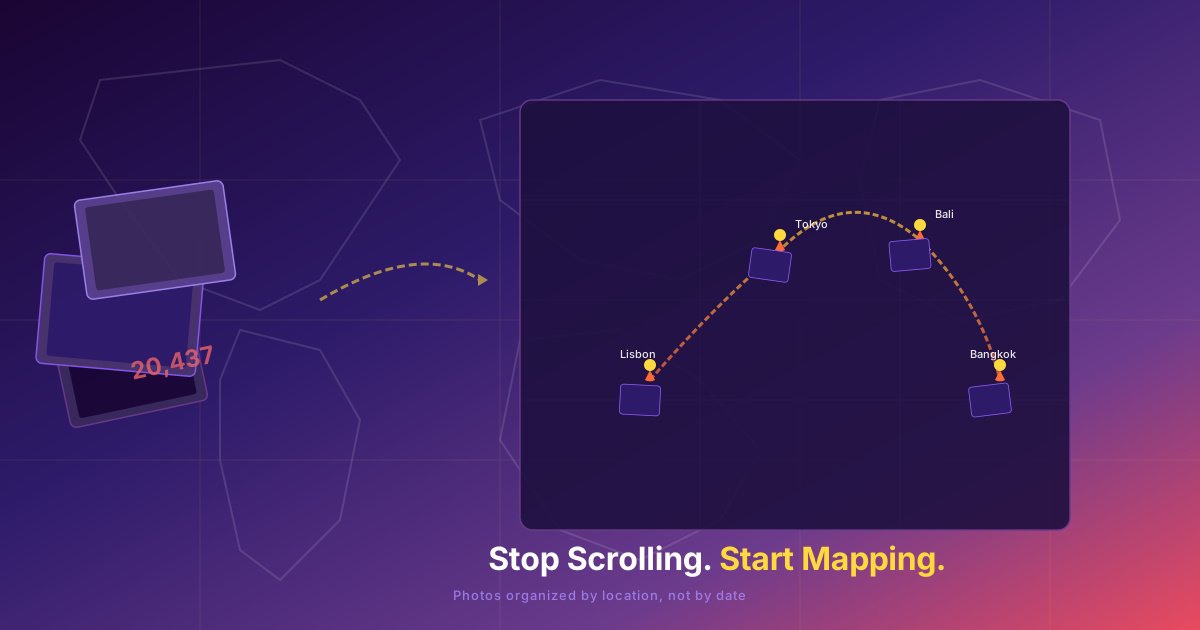
Stuck at 20,000 Photos? Stop Scrolling. Start Mapping.
I opened my photo library yesterday. 20,437 photos. I stared at the number for a few seconds, scrolled through three weeks of screenshots and blurry duplicates, and closed the app. This happens every time I try to clean up my photos. But this time I found a different way in.
Here's how photo cleanup attempts usually go: you open your library, scroll to the bottom, see a number like 20,000, and immediately feel your brain shut down. You start scrolling — past screenshots of grocery lists, past seventeen nearly identical sunset photos, past receipts, memes, documents, and somewhere in there, actual memories.
After ten minutes, you've deleted maybe thirty photos. You've also accidentally scrolled past a month's worth of photos you didn't intend to review yet, lost your place three times, and remembered why you never finish this task. So you close the app. The 20,000 stays 20,000. Next time, same thing.
This isn't a personal failure. It's a design problem. Your photos are organized the way a warehouse stores boxes — chronologically, in a single massive pile. There's no natural breaking point, no logical place to stop and feel like you made progress. You're just scrolling through years of your life, one thumb swipe at a time, hoping you'll eventually reach the end.
The timeline trap
Timeline-based photo browsing works fine when you have a thousand photos. Scroll back to last summer, find that beach trip, done. But at 20,000 photos, the timeline becomes a punishment. Every cleanup attempt turns into a half-finished mess. You quit after ten minutes because scrolling through three years of random images is mentally exhausting.
Part of the problem is that the timeline mixes everything together — screenshots next to vacation photos, work documents next to birthday parties. You can't batch-delete efficiently because you're reviewing one item at a time with no context. Is this blurry photo from a trip you loved or a Tuesday that didn't matter? At 20,000 photos, context is everything, and the timeline gives you none.
Your photos already know where they were taken
Here's what most people don't realize: every photo on your phone already has GPS coordinates embedded in it. The latitude and longitude of exactly where you were standing when you pressed the shutter. Your phone has been quietly recording this data for years — it knows which café in Shibuya, which viewpoint in Cappadocia, which beach in Tulum.
This means there's a completely different way to browse your library: by location, not by date. Instead of one endless timeline, you get natural batches — one trip, one city, one neighborhood at a time. The geography of your life becomes the organizing principle, and suddenly cleanup has structure.
The map method
When you sort photos by where they were taken, something shifts. Instead of "I need to delete 15,000 photos" — an impossible, paralyzing task — you think: "Let me review my Bali trip. Let me clean up that weekend in Kyoto. Let me go through those photos from Lisbon."
Each batch is manageable. Fifty photos from a weekend trip? You can swipe through those in five minutes, keep the best ten, delete the rest. Two hundred photos from a two-week vacation? That's a pleasant evening activity — a walk through your own memories, not a chore.
And here's the psychological difference: reviewing a trip feels like reminiscing. Scrolling through a timeline feels like work. One is connected to experience and emotion. The other is connected to a progress bar that never moves fast enough.
How Wimemo approaches this
Wimemo was built around this exact idea — that photos belong on a map, not in a timeline. When you open the app, it reads the GPS data from every photo on your device and places each one exactly where it was taken. You see your entire photo life as a world map with pins. Pinch to zoom into Tokyo and see every photo from that trip, clustered by neighborhood.
From there, you swipe through one trip at a time. Every photo in context — you can see which shots are duplicates because they're right next to each other on the timeline. You can bulk-delete the blurry ones, keep the best, and move on without losing your place. The map remembers where you left off.
And unlike cloud-based photo apps, everything happens on your device. Your photos never leave your phone. There's no upload, no server, no company scanning through your personal memories. You get the structure of location-based organization with the privacy of local storage.
A different kind of cleanup
The truth is, you don't need to delete 15,000 photos in one sitting. That was never a reasonable goal. What you need is a way to break the problem into pieces that feel human — reviewing a trip, a weekend, a neighborhood — and a tool that presents your photos that way by default.
The next time you open your library and see that intimidating number, try looking at it differently. Those aren't 20,000 random files. They're six trips to Japan, four summers in Europe, a dozen weekend getaways, and countless afternoons that mattered. Each one is a story with a location. Start there. Stop scrolling, start mapping, and let the geography of your life do the organizing for you.
사진 정리 시도는 보통 이렇다. 라이브러리를 열고, 맨 아래까지 스크롤해서 20,000장 같은 숫자를 보는 순간 뇌가 멈춘다. 스크롤을 시작한다——장보기 목록 스크린샷, 거의 똑같은 석양 사진 17장, 영수증, 밈, 문서들 사이 어딘가에 진짜 추억이 묻혀 있다.
10분 후, 아마 30장쯤 삭제했을 것이다. 그동안 아직 검토할 생각이 없던 한 달치 사진을 실수로 지나쳤고, 세 번이나 위치를 잃었으며, 왜 이 작업을 끝까지 해본 적이 없는지 다시 기억해낸다. 그래서 앱을 닫는다. 20,000장은 여전히 20,000장이다. 다음에도 똑같다.
이건 개인의 실패가 아니다. 설계의 문제다. 사진이 창고에 상자를 쌓듯 관리된다——시간순으로, 하나의 거대한 더미로. 자연스러운 중단점도 없고, 진전을 느낄 수 있는 합리적인 지점도 없다. 그저 엄지손가락으로 몇 년치 인생을 스크롤하며 언젠가 끝에 도달하기를 바랄 뿐이다.
타임라인의 함정
사진이 1,000장일 때는 타임라인 브라우징이 괜찮다. 지난 여름까지 스크롤해서 그 해변 여행을 찾는다. 끝. 하지만 20,000장이 되면 타임라인은 형벌이 된다. 모든 정리 시도가 중간에 포기한 엉망진창이 된다. 10분 만에 지치는 이유는 3년치 무작위 이미지를 스크롤하는 것이 정신적으로 소모되기 때문이다.
문제의 일부는 타임라인이 모든 것을 뒤섞는다는 점이다. 스크린샷 옆에 휴가 사진, 업무 문서 옆에 생일 파티. 문맥이 없어서 효율적으로 일괄 삭제할 수 없다. 이 흐릿한 사진은 잊지 못할 여행의 것인가, 별 것 아닌 화요일의 것인가? 20,000장 앞에서는 문맥이 전부이며, 타임라인은 아무것도 제공하지 않는다.
사진은 이미 어디서 찍었는지 알고 있다
대부분의 사람들이 깨닫지 못하는 사실: 휴대폰의 모든 사진에는 이미 GPS 좌표가 내장되어 있다. 셔터를 누를 때 서 있던 정확한 위도와 경도. 휴대폰은 수년간 조용히 이 데이터를 기록해왔다——시부야의 어느 카페인지, 카파도키아의 어느 전망대인지, 툴룸의 어느 해변인지 알고 있다.
이것은 라이브러리를 완전히 다른 방식으로 탐색할 수 있다는 뜻이다. 날짜가 아니라 장소로. 끝없는 하나의 타임라인 대신 자연스러운 묶음——하나의 여행, 하나의 도시, 하나의 동네——이 생긴다. 지리가 정리 원칙이 되고, 갑자기 정리에 구조가 생긴다.
지도 방식
촬영 장소로 사진을 정렬하면 무언가 달라진다. "15,000장을 삭제해야 해"라는 불가능하고 마비되는 과제 대신 "발리 여행을 검토하자. 교토 주말을 정리하자. 리스본 사진들을 살펴보자"라고 생각하게 된다.
각 묶음은 관리 가능하다. 주말 여행의 50장? 5분이면 스와이프해서 베스트 10장만 남기고 나머지는 삭제할 수 있다. 2주 휴가의 200장? 즐거운 저녁 활동이다——자신의 추억 속을 산책하는 것이지, 집안일이 아니다.
여기서 심리적 차이는 이것이다: 여행을 되돌아보는 것은 회상이고, 타임라인을 스크롤하는 것은 노동이다. 하나는 경험과 감정에 연결되어 있고, 다른 하나는 결코 충분히 빠르게 움직이지 않는 진행 막대에 연결되어 있다.
Wimemo의 접근법
Wimemo는 바로 이 아이디어를 중심으로 만들어졌다——사진은 타임라인이 아니라 지도 위에 있어야 한다. 앱을 열면 기기의 모든 사진에서 GPS 데이터를 읽어 각 사진을 촬영된 정확한 위치에 배치한다. 전체 사진 인생이 핀이 꽂힌 세계 지도로 표시된다. 도쿄로 핀치 줌인하면 그 여행의 모든 사진을 동네별로 클러스터링해서 볼 수 있다.
거기서부터 한 번에 하나의 여행을 스와이프하며 본다. 모든 사진이 문맥 속에 있다——중복 샷은 타임라인에서 바로 옆에 있어서 즉시 알 수 있다. 흐릿한 것들을 일괄 삭제하고, 베스트만 남기고, 위치를 잃지 않고 다음으로 넘어간다. 지도는 어디까지 진행했는지 기억한다.
그리고 클라우드 기반 사진 앱과 달리 모든 것이 기기에서 처리된다. 사진이 휴대폰을 떠나는 일은 절대 없다. 업로드도, 서버도, 당신의 개인적인 추억을 스캔하는 기업도 없다. 위치 기반 정리 구조와 로컬 저장소의 프라이버시를 모두 얻을 수 있다.
다른 종류의 정리
진실은, 15,000장을 한 번에 삭제할 필요가 없다는 것이다. 그건 애초에 합리적인 목표가 아니었다. 필요한 것은 문제를 인간적인 조각으로 나누는 것——여행, 주말, 동네를 되돌아보는 것——그리고 기본적으로 그렇게 사진을 보여주는 도구다.
다음에 라이브러리를 열어서 그 위압적인 숫자를 볼 때, 다른 시각으로 바라봐 보라. 그것은 20,000개의 무작위 파일이 아니다. 여섯 번의 일본 여행, 네 번의 유럽 여름, 열두 번 이상의 주말 여행, 그리고 수많은 소중한 오후들이다. 각각은 위치를 가진 이야기다. 거기서 시작하라. 스크롤을 멈추고, 지도를 보라. 인생의 지리가 정리를 대신하게 하라.