
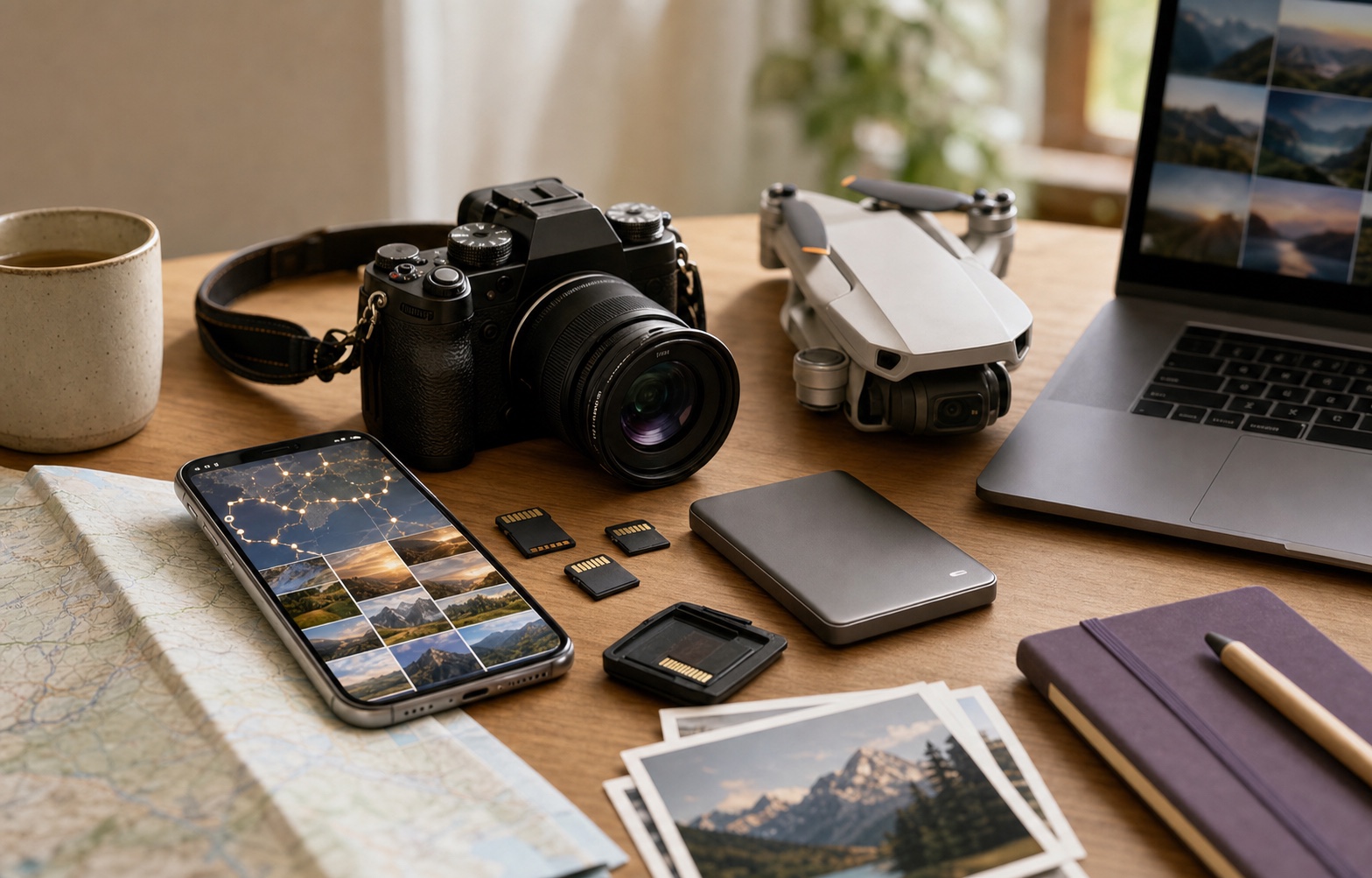
Every good trip creates the same quiet problem. At first everything feels simple: you take photos on your iPhone, fly a DJI drone for a few wide shots, bring a mirrorless camera for the light, and maybe get a few albums from the people traveling with you.
Then the trip ends. The memories are real, but the media is everywhere: phone camera roll, SD card, desktop folder, external hard drive, cloud export, group chat, and sometimes a NAS at home.
This is not only a storage problem. It is a memory problem. A trip is remembered as places, movement, companions, and moments. Device folders do not preserve that story.
Camera Rolls Are Built for Capture, Not Memory
Most photo libraries organize media around the moment of capture. They sort by date, sync files, and make search possible if you remember the right word. Travel is different. You remember the first city you landed in, the road between countries, the beach you found by accident, and the restaurant everyone still talks about.
That is why a map can feel more natural than a timeline. Place gives travel photos their context. A photo taken on an iPhone and a drone clip taken ten minutes later may belong together even if they live in totally different folders.
The Modern Trip Is No Longer Phone-Only
The iPhone is still the center of many travel memories, but it is no longer the only camera. Travelers now bring drones, action cameras, mirrorless cameras, downloaded edits, shared folders, and home archives. The more meaningful the trip, the more likely the media is split across devices.
The archive exists. The story is broken. Your iPhone may know the rhythm of the trip, while your best footage sits on an SD card or NAS. Your camera may hold the best images, but it does not know how those images connect to the rest of your travel life.
A Better Model: One Travel Layer Above Every Device
Wimemo starts with the photos already on your iPhone. It scans locally, detects trips, lights up places on a map, and helps you revisit travel history without manually building albums after every vacation.
The next product direction is a web importer for external media: DJI, DSLR, desktop, and NAS files that you explicitly choose to upload. The useful metadata is simple but powerful: capture time, GPS coordinates when available, camera model, file type, and trip context.
Once that media has a time and place, the phone can show one coherent trip: local iPhone photos, selected external uploads, drone videos, camera shots, and memories organized by route instead of folder name.
Privacy Matters Because Travel Photos Are Intimate
Travel photos reveal where you went, who you were with, where you stayed, and sometimes when your home was empty. A travel photo app should not assume that the right default is "upload everything."
Wimemo's healthier model is local-first for phone photos, explicit upload for collaboration or external media, and honest storage subscriptions for heavy DJI, DSLR, and NAS users. Premium should make the travel memory product better; large media storage should carry its own infrastructure cost.
The Goal Is Not Another Cloud Bucket
I do not want a bigger pile of files. I want to open a trip and feel the shape of it again. I want the phone photo, the drone clip, and the camera shot to sit next to each other because they happened in the same place at the same time.
That is what Wimemo is trying to become: a private travel atlas for the memories you already captured, and soon, for the travel media that lives beyond your phone too.
每一次好旅行,最后都会留下同一个安静的问题。一开始很简单:手机随手拍,DJI 飞几段航拍,单反或微单拍下更好的光线,同行的人也传来一批照片。
旅行结束后,记忆是真的,但素材散了。它们可能在手机相册、SD 卡、电脑文件夹、移动硬盘、云端导出、聊天记录,甚至家里的 NAS 里。
这不只是存储问题,而是记忆问题。一趟旅行是地点、移动、同行人和瞬间组成的故事。按设备分散的文件夹,很难保存这个故事。
相册适合拍摄,不适合回忆
大多数照片库围绕拍摄瞬间设计:按日期排序、同步文件、在你记得关键词时帮你搜索。但旅行不是这样被记住的。你记住的是落地的第一座城市、两国之间的路、偶然发现的海滩、大家后来一直提起的餐厅。
所以地图常常比时间线更自然。地点给旅行照片上下文。一张 iPhone 照片和十分钟后的航拍视频,即使存在完全不同的文件夹里,也可能属于同一个记忆片段。
现代旅行早就不只靠手机拍摄
iPhone 仍然是很多旅行记忆的中心,但它不再是唯一相机。越来越多旅行者会带无人机、运动相机、微单、电脑修图导出、朋友共享文件夹,以及家里的 NAS 归档。
越重要的旅行,素材越可能分散。归档存在,故事却断了。手机知道旅行的节奏,最好的视频可能在 SD 卡里;相机有最高质量的照片,却不知道它们和其他旅行记忆有什么关系。
更好的模型:在所有设备之上建立旅行层
纬途旅记从你 iPhone 上已有的照片开始。它在本地扫描,识别旅行,把地点点亮在地图上,让你不用每次旅行后手动建相册,也能重新看见自己的旅行历史。
下一层产品方向,是一个面向外部媒体的 Web 导入器:你明确选择上传的 DJI、单反、电脑和 NAS 文件。真正有用的元数据很简单:拍摄时间、可用时的 GPS 坐标、相机型号、文件类型和旅程上下文。
当这些素材拥有时间和地点后,手机里就能看到一趟完整旅行:本地 iPhone 照片、选中的外部上传、无人机视频、相机照片,以及按路线而不是文件夹名组织的记忆。
隐私重要,因为旅行照片很私密
旅行照片会透露你去了哪里、和谁同行、住在哪里,有时甚至会透露家里什么时候没人。旅行照片应用不应该默认“全部上传”。
纬途旅记更健康的模型是:手机照片本地优先;协作或外部媒体才明确上传;DJI、单反、NAS 重度用户通过清晰的存储订阅承担真实成本。会员应该让旅行记忆产品更好,而不是伪装成便宜云盘。
目标不是另一个云盘
我想要的不是更大的文件桶。我想打开一趟旅行,就能重新感到它的形状。我希望手机照片、航拍视频和相机照片,因为发生在同一时间同一地点,而自然地放在一起。
这就是纬途旅记想成为的东西:一个属于你自己的私密旅行地图,先整理你已经拍下的手机记忆,接下来也连接手机之外的旅行素材。
每一次好旅行,最後都會留下同一個安靜的問題。一開始很簡單:手機隨手拍,DJI 飛幾段航拍,單反或微單拍下更好的光線,同行的人也傳來一批照片。
旅行結束後,記憶是真的,但素材散了。它們可能在手機相簿、SD 卡、電腦資料夾、行動硬碟、雲端匯出、聊天記錄,甚至家裡的 NAS 裡。
這不只是儲存問題,而是記憶問題。一趟旅行是地點、移動、同行人和瞬間組成的故事。按設備分散的資料夾,很難保存這個故事。
相簿適合拍攝,不適合回憶
大多數照片庫圍繞拍攝瞬間設計:按日期排序、同步檔案、在你記得關鍵詞時幫你搜尋。但旅行不是這樣被記住的。你記住的是落地的第一座城市、兩國之間的路、偶然發現的海灘、大家後來一直提起的餐廳。
所以地圖常常比時間線更自然。地點給旅行照片上下文。一張 iPhone 照片和十分鐘後的航拍影片,即使存在完全不同的資料夾裡,也可能屬於同一個記憶片段。
現代旅行早就不只靠手機拍攝
iPhone 仍然是很多旅行記憶的中心,但它不再是唯一相機。越來越多旅行者會帶無人機、運動相機、微單、電腦修圖匯出、朋友共享資料夾,以及家裡的 NAS 歸檔。
越重要的旅行,素材越可能分散。歸檔存在,故事卻斷了。手機知道旅行的節奏,最好的影片可能在 SD 卡裡;相機有最高品質的照片,卻不知道它們和其他旅行記憶有什麼關係。
更好的模型:在所有設備之上建立旅行層
Wimemo 從你 iPhone 上已有的照片開始。它在本地掃描,識別旅行,把地點點亮在地圖上,讓你不用每次旅行後手動建相簿,也能重新看見自己的旅行歷史。
下一層產品方向,是一個面向外部媒體的 Web 匯入器:你明確選擇上傳的 DJI、單反、電腦和 NAS 檔案。真正有用的元資料很簡單:拍攝時間、可用時的 GPS 座標、相機型號、檔案類型和旅程上下文。
當這些素材擁有時間和地點後,手機裡就能看到一趟完整旅行:本地 iPhone 照片、選中的外部上傳、無人機影片、相機照片,以及按路線而不是資料夾名組織的記憶。
隱私重要,因為旅行照片很私密
旅行照片會透露你去了哪裡、和誰同行、住在哪裡,有時甚至會透露家裡什麼時候沒人。旅行照片應用不應該預設「全部上傳」。
Wimemo 更健康的模型是:手機照片本地優先;協作或外部媒體才明確上傳;DJI、單反、NAS 重度用戶透過清晰的儲存訂閱承擔真實成本。會員應該讓旅行記憶產品更好,而不是偽裝成便宜雲碟。
目標不是另一個雲碟
我想要的不是更大的檔案桶。我想打開一趟旅行,就能重新感到它的形狀。我希望手機照片、航拍影片和相機照片,因為發生在同一時間同一地點,而自然地放在一起。
這就是 Wimemo 想成為的東西:一個屬於你自己的私密旅行地圖,先整理你已經拍下的手機記憶,接下來也連接手機之外的旅行素材。
いい旅のあとには、いつも同じ静かな問題が残ります。最初は簡単です。iPhoneで撮り、DJIで空撮し、カメラで光を残し、一緒に旅した人からも写真が届きます。
でも旅が終わると、思い出は本物なのに、メディアは散らばります。カメラロール、SDカード、PCフォルダ、外付けドライブ、クラウド書き出し、チャット、そして自宅のNAS。
これは単なる保存の問題ではありません。記憶の問題です。旅は場所、移動、同行者、瞬間でできています。デバイス別のフォルダは、その物語を守るのが苦手です。
カメラロールは撮影のためで、記憶のためではない
多くの写真ライブラリは撮影時点を中心に作られています。日付で並べ、同期し、言葉を覚えていれば検索できます。でも旅は、日付よりも場所で思い出します。最初に降り立った街、国境を越えた道、偶然見つけた海辺、帰ってからも話題になる店。
だから地図はタイムラインより自然に感じられます。場所が写真に文脈を与えます。iPhoneの写真と10分後のドローン映像は、別々のフォルダにあっても同じ記憶かもしれません。
現代の旅はもうスマホだけではない
iPhoneは多くの旅の中心ですが、唯一のカメラではありません。ドローン、アクションカメラ、ミラーレス、PCの編集データ、友人の共有フォルダ、自宅NASのアーカイブが増えています。
大切な旅ほど、素材は散らばります。アーカイブはあるのに、物語は壊れている。スマホは旅のリズムを知っていても、最高の映像はSDカードやNASに眠っているかもしれません。
すべてのデバイスの上に、旅のレイヤーを作る
Wimemoは、まずiPhone上の写真から始まります。ローカルでスキャンし、旅を検出し、地図上で場所を照らし、旅行後に手作業でアルバムを作らなくても過去の旅を見返せます。
次の方向性は、外部メディア用のWebインポーターです。DJI、カメラ、デスクトップ、NASから、明示的に選んだファイルだけをアップロードする。重要なのは撮影時刻、GPS座標、カメラ情報、ファイル種別、旅の文脈です。
時間と場所がわかれば、iPhoneの写真、選んだ外部アップロード、ドローン映像、カメラ写真を一つの旅として見られます。
旅の写真にはプライバシーが必要
旅の写真は、どこへ行き、誰といて、どこに泊まり、ときには家が空いていた時期まで示します。旅行写真アプリは「全部アップロード」が正しい初期値だと考えるべきではありません。
Wimemoの考え方は、スマホ写真はローカルファースト、共同編集や外部メディアだけ明示的にアップロード、重い保存容量は正直なストレージプランで支えることです。
目的は、もう一つのクラウドではない
欲しいのは大きなファイル置き場ではありません。旅を開いたとき、その形をもう一度感じたいのです。スマホ写真、ドローン映像、カメラ写真が、同じ場所と時間に起きたものとして自然に並んでほしい。
Wimemoが目指すのは、すでに撮った記憶と、これからスマホの外にある旅のメディアをつなぐ、プライベートな旅の地図です。
좋은 여행 뒤에는 늘 같은 조용한 문제가 남습니다. 처음에는 간단합니다. iPhone으로 찍고, DJI로 넓은 장면을 담고, 카메라로 좋은 빛을 남기고, 함께 간 사람들에게서도 사진을 받습니다.
여행이 끝나면 기억은 분명하지만 미디어는 흩어집니다. 카메라 롤, SD 카드, 노트북 폴더, 외장 하드, 클라우드 내보내기, 채팅방, 집의 NAS까지.
이것은 단순한 저장 문제가 아닙니다. 기억의 문제입니다. 여행은 장소, 이동, 동행자, 순간으로 기억됩니다. 기기별 폴더는 그 이야기를 보존하기 어렵습니다.
카메라 롤은 촬영을 위한 것이지 기억을 위한 것이 아닙니다
대부분의 사진 라이브러리는 촬영 시점을 중심으로 정리됩니다. 날짜별로 정렬하고, 동기화하고, 기억나는 단어가 있으면 검색합니다. 하지만 여행은 장소로 기억됩니다. 처음 도착한 도시, 나라 사이의 길, 우연히 찾은 해변, 모두가 아직도 이야기하는 식당처럼요.
그래서 지도는 타임라인보다 자연스럽습니다. 장소가 사진에 맥락을 줍니다. iPhone 사진과 10분 뒤의 드론 영상은 서로 다른 폴더에 있어도 같은 기억일 수 있습니다.
현대의 여행은 더 이상 폰 하나로 끝나지 않습니다
iPhone은 여전히 많은 여행 기억의 중심이지만 유일한 카메라는 아닙니다. 드론, 액션캠, 미러리스, 노트북 편집본, 친구의 공유 폴더, 집의 NAS 보관본이 함께 존재합니다.
중요한 여행일수록 미디어는 더 흩어집니다. 보관본은 있지만 이야기는 끊어져 있습니다. 폰은 여행의 리듬을 알고 있지만 최고의 영상은 SD 카드나 NAS에 있을 수 있습니다.
모든 기기 위에 하나의 여행 레이어를 만들기
Wimemo는 먼저 iPhone에 이미 있는 사진에서 시작합니다. 로컬에서 스캔하고, 여행을 감지하고, 지도 위에 장소를 밝히며, 여행 뒤에 매번 앨범을 직접 만들지 않아도 여행 기록을 다시 볼 수 있게 합니다.
다음 방향은 외부 미디어용 웹 임포터입니다. DJI, 카메라, 데스크톱, NAS에서 명시적으로 선택한 파일만 업로드하는 방식입니다. 중요한 메타데이터는 촬영 시간, 가능한 경우 GPS 좌표, 카메라 모델, 파일 형식, 여행 맥락입니다.
시간과 장소가 연결되면 iPhone 사진, 선택한 외부 업로드, 드론 영상, 카메라 사진을 하나의 여행으로 볼 수 있습니다.
여행 사진에는 프라이버시가 필요합니다
여행 사진은 어디에 갔는지, 누구와 있었는지, 어디에 머물렀는지, 때로는 집이 비어 있던 시기까지 보여줍니다. 여행 사진 앱은 "전부 업로드"를 기본값으로 삼아서는 안 됩니다.
Wimemo의 더 건강한 모델은 폰 사진은 로컬 우선, 협업이나 외부 미디어만 명시적으로 업로드, 무거운 저장 용량은 정직한 스토리지 구독으로 부담하는 것입니다.
목표는 또 하나의 클라우드 저장소가 아닙니다
제가 원하는 것은 더 큰 파일 더미가 아닙니다. 여행을 열었을 때 그 형태를 다시 느끼고 싶습니다. 폰 사진, 드론 영상, 카메라 사진이 같은 시간과 장소에서 일어난 기억으로 자연스럽게 나란히 있기를 바랍니다.
Wimemo가 되고 싶은 것은 이미 찍은 기억과 앞으로 폰 밖에 있는 여행 미디어까지 이어 주는 개인 여행 지도입니다.